
Engineering Insights

How to Test Smart Home Interoperability

What to test, a repeatable process, and why testing against a large device library is what makes the results reflect the real world.

Back to Blog

How to Test Smart Home Interoperability (and Why a Device Library Matters)

Smart home interoperability testing is the process of proving that a connected device works correctly alongside the other products, apps, and networks it will actually meet in a customer's home, not just that it passes a standard in isolation.

It is the difference between a device that certifies cleanly and one that keeps working after it ships.

Most connected-product failures in the field are not standards failures. The device passed its Wi-Fi, Bluetooth, Thread, or Matter certification and still drops off the network next to a neighbor's mesh router, fails to onboard through a three-year-old phone, or stops responding when a voice assistant and a smart lock share the same 2.4 GHz channel. Interoperability testing is how you find those failures before your customers do.

This guide covers what interoperable really means for a connected device, why certification alone is not enough, the failure modes a small test sample will miss, a step-by-step process for testing interoperability, and why the size and curation of a device library is the single biggest factor in whether that testing reflects the real world.
What Does "Interoperable" Really Mean for a Connected Device?

A device is interoperable when it performs its intended function, without degradation, across the full range of hardware, software, and network conditions its users will realistically put it in.

That is a higher bar than conformant. Conformance says the device implements a specification correctly. Interoperability says the device still behaves correctly when it is one of forty things on a congested home network, talking to a partner device that implements the same specification slightly differently, on firmware that shipped two years ago. Real homes are heterogeneous, cross-vendor, and full of legacy gear, and a specification cannot describe every combination a device will encounter.

Interoperability, in practice, has four dimensions worth testing explicitly:

Functional

The feature works end to end with the partner device: a light responds, a stream plays, a lock actuates.

Coexistence

The device and its neighbors both keep working when they share spectrum, bandwidth, and physical space.

Ecosystem

The device behaves correctly inside the platforms it advertises support for: Apple Home, Google Home, Amazon Alexa, and Samsung SmartThings.

Longevity

The device keeps working across firmware updates, on both current and legacy partner hardware.

Why Is Standards Compliance Not Enough?

Certification proves your product meets a standard. Interoperability testing proves it works alongside the other devices it will meet in the real world.

A product can pass every certification and still fail in a customer's home, and that gap is exactly what interoperability testing closes.

Standards bodies test a device against a reference implementation under controlled conditions. That is necessary and valuable, but it is a narrow slice of reality. A reference access point is not the specific carrier-supplied gateway your customer was given. A test harness does not recreate the interference of a real apartment building. And certification is a point-in-time event, while your device and every device around it will keep updating for years.

The result is a predictable class of post-launch problems: devices that certify and then generate support tickets, returns, and one-star reviews that all say some version of "it does not work with my setup." Interoperability testing is the discipline of surfacing those problems while they are still cheap to fix.

What Failure Modes Does a Small Device Sample Miss?

The most expensive interoperability bugs are the ones that only appear against specific hardware you did not test. Testing against a handful of devices finds the obvious problems and hides the ones that reach the most customers.

Common failures that a small sample tends to miss:

  • Legacy-partner failures: it works with current phones and routers but fails to pair on the 3-to-5-year-old hardware many customers still run.
  • Vendor-specific quirks: two access points follow the same standard, but one handles a roaming or power-save case differently, and only its hardware triggers the bug.
  • Coexistence and congestion: fine on a clean bench, the device falls apart on a busy 2.4 GHz network crowded with neighbors, Bluetooth audio, and a microwave.
  • Regional variation: international SKUs, region-specific channel plans, and carrier gateways behave differently than the domestic units in a typical lab.
  • Scale-dependent behavior: it works with five devices and breaks at fifty, when routing tables fill, mesh networks re-form, or a hub hits its device limit.

None of these show up reliably against a small, current, domestic sample. They show up when you test against the same messy, multi-generation, multi-vendor mix that exists in real homes, which is why the breadth of the device library matters more than almost any other factor.

How to Test Smart Home Interoperability: A Step-by-Step Process

A repeatable interoperability program follows the same shape regardless of protocol. These are the steps in order.

  1. Define the real-world target. List the ecosystems your product claims to support, the partner categories it must work with, and the customer environments it will ship into, including the legacy and regional hardware your customers actually own, not just current flagships.
  2. Build a representative device matrix. Turn that target into a concrete list of partner devices spanning current and legacy generations, multiple vendors, and regional SKUs. The quality of this matrix determines the quality of the results, and it is where a large device library does the heavy lifting.
  3. Test onboarding and commissioning first. Most interoperability failures happen at first contact: pairing, provisioning, ecosystem enrollment. Exercise the full onboarding path against every device class in the matrix, on both current and older partner firmware.
  4. Test steady-state function and coexistence. With the device onboarded, verify its core functions work end to end, then load the environment: congested spectrum, many simultaneous devices, competing traffic, and real physical separation with walls and interference.
  5. Test the negative and edge cases. Power loss and recovery, network drops and reconnection, firmware updates on both sides, roaming between access points, and the legacy or off-spec partners that expose fragile assumptions.
  6. Reproduce and triage field issues. When a specific customer combination fails, recreate that exact mix, isolate the root cause, and confirm the fix does not regress anything else in the matrix.
  7. Retest across firmware over time. Interoperability is not a one-time event. Re-run the matrix when your firmware changes and when major partner platforms update, so a fix or a partner update does not silently break something that worked.
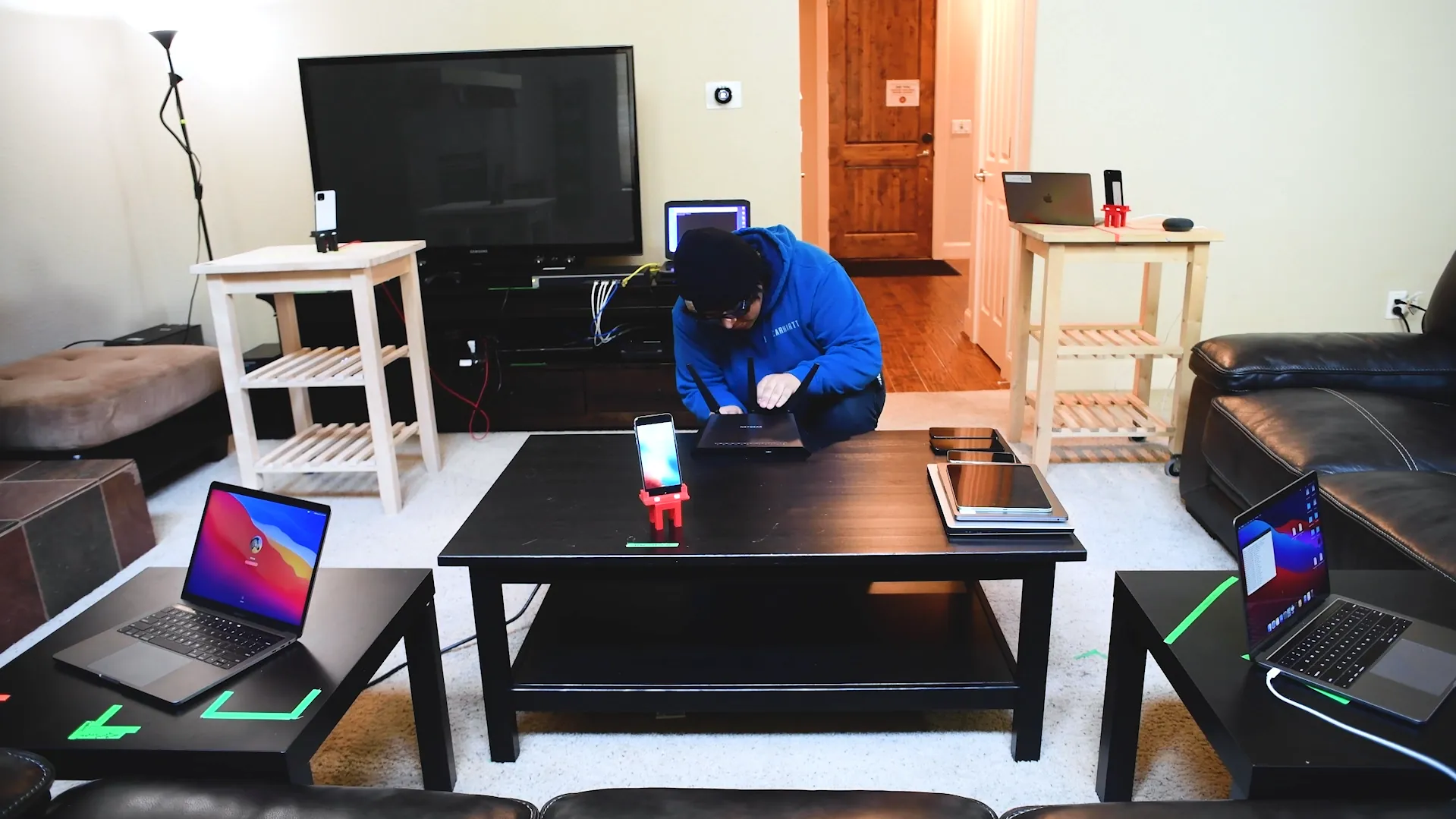
Novus Labs real-world device validation in progress
Novus validates products in real-world conditions, not just on the bench.

Why Is a Device Library the Differentiator?

You can't test the real world with only a small sample of it.

The breadth and curation of the device library is what determines whether interoperability testing predicts field behavior or just confirms the easy cases.

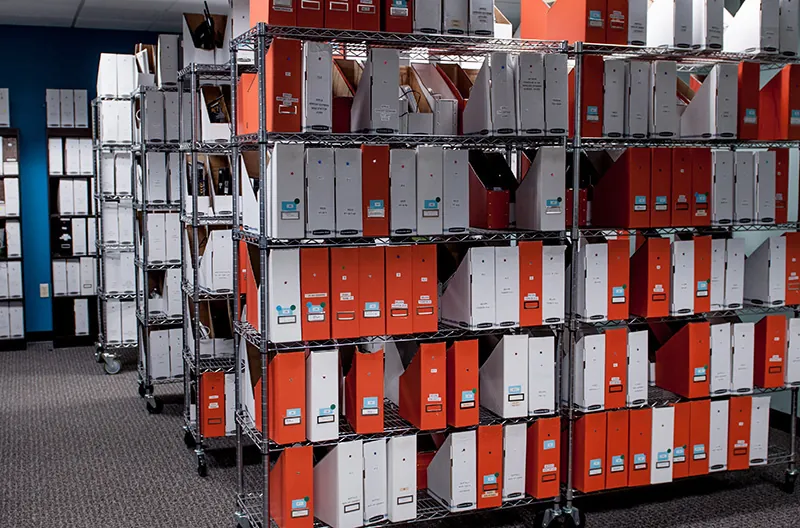
This is where scale becomes a capability rather than a number. The Novus Labs interoperability device library holds 6,000+ devices, spanning 1,600+ wireless access points, 700+ phones and tablets, 500+ Bluetooth devices, 500+ monitors and displays, 400+ AV devices, and a continuously growing smart home inventory. It covers current flagships and the long tail of legacy and regional hardware that a domestic in-house lab almost never has on hand.

Wireless access points in the Novus Labs interoperability device library
A portion of the Novus interoperability device library, part of the 6,000+ devices products are tested against.

Curation matters as much as size. A library is only useful if it mirrors the installed base your customers actually have, which is why it is maintained around real market coverage rather than hoarded, and refreshed as new products ship and old ones persist in the field. Paired with engineers who manage and exercise it day to day, that library lets a test program reproduce the specific device mix behind a field failure and validate against the hardware your product will really encounter.

Protocol Notes: Matter, Thread, Wi-Fi, and Bluetooth

Every protocol adds its own interoperability surface on top of the general process.

Matter

A single Matter device often runs over Wi-Fi or Thread and must behave correctly across multiple ecosystems at once. Test multi-admin and multi-fabric scenarios, controller behavior across Apple Home, Google Home, Alexa, and SmartThings, and the bridge and Thread-border-router paths, not just a single happy-path controller.

Thread

Thread is a mesh, so behavior is topology-dependent. Test border-router interoperability across vendors, network formation and healing, and how the mesh behaves as devices join, leave, and move.

Wi-Fi

The classic coexistence and roaming battleground. Test across access-point vendors and generations (Wi-Fi 4 through 7), band steering, power-save edge cases, and congested real-world RF, not a clean channel.

Bluetooth

Test Classic, BLE, and LE Audio as applicable, pairing and bonding across phone generations, and coexistence with Wi-Fi on the shared 2.4 GHz band.

A Pre-Test Checklist: How to Prepare Your Device for Interoperability Testing

Interoperability testing goes faster and finds more when the device and the plan are ready. Before testing:

  • Supported ecosystems and partners: list every ecosystem and partner the product claims to support, including the legacy and regional hardware your customers use.
  • Firmware builds: have current and prior firmware ready, plus a way to update the device under test during the program.
  • Companion app versions: provide the companion app across the OS versions your customers run, not just the latest.
  • Pass and fail criteria: define what "working" means for each function, so results are unambiguous.
  • Field scenarios: capture the real-world scenarios you most want to reproduce, including combinations already generating support tickets.
  • Real-world conditions: decide which conditions matter (home layout, RF environment, deployment pattern) so testing moves from the bench into representative conditions.

The Bottom Line

Standards get your product to the starting line. Interoperability testing is what keeps it working once real customers plug it into real homes. The process is repeatable, but its results are only as real as the devices you test against, which is why the size and curation of the device library is the factor that matters most.

Novus Labs runs smart home interoperability testing backed by one of the industry's largest device libraries and residential test homes for real-world validation.

Interoperability Testing FAQ

How is interoperability testing different from certification?

Certification confirms your product meets a standard; interoperability testing confirms it actually works alongside the other devices it will meet in the real world. Products can pass certification and still fail in a customer's home, which is the gap interoperability testing closes.

How many devices do I need to test against?

Enough to represent the real installed base your customers have, current and legacy, across vendors and regions, not just a few current flagships. Novus tests against an interoperability device library of 6,000+ devices so the coverage matches what products actually encounter in the field.

Do you test Matter and Thread interoperability?

Yes. We test interoperability across Wi-Fi, Bluetooth, Thread, and Matter, including multi-admin and multi-ecosystem scenarios for smart home and IoT products.

Ready to Test Your Product Against the Real World?

Talk to a Novus engineer about scoping an interoperability program against the devices your customers actually use.